Crew scheduling and job updates for tree service teams
Bring the schedule and the conversation closer to the work. Owners and admins organize jobs and team access, while crew members use their assigned-work tools to see the day and share progress from the field.
Use Calendar to review scheduled site visits and work. Open Route Planner for the selected day, choose a starting point, and include the stops you need. Arrange the order with the available drag or arrow controls, then open directions in Google Maps. Route order changes do not reschedule appointments.
Keep questions attached to the work
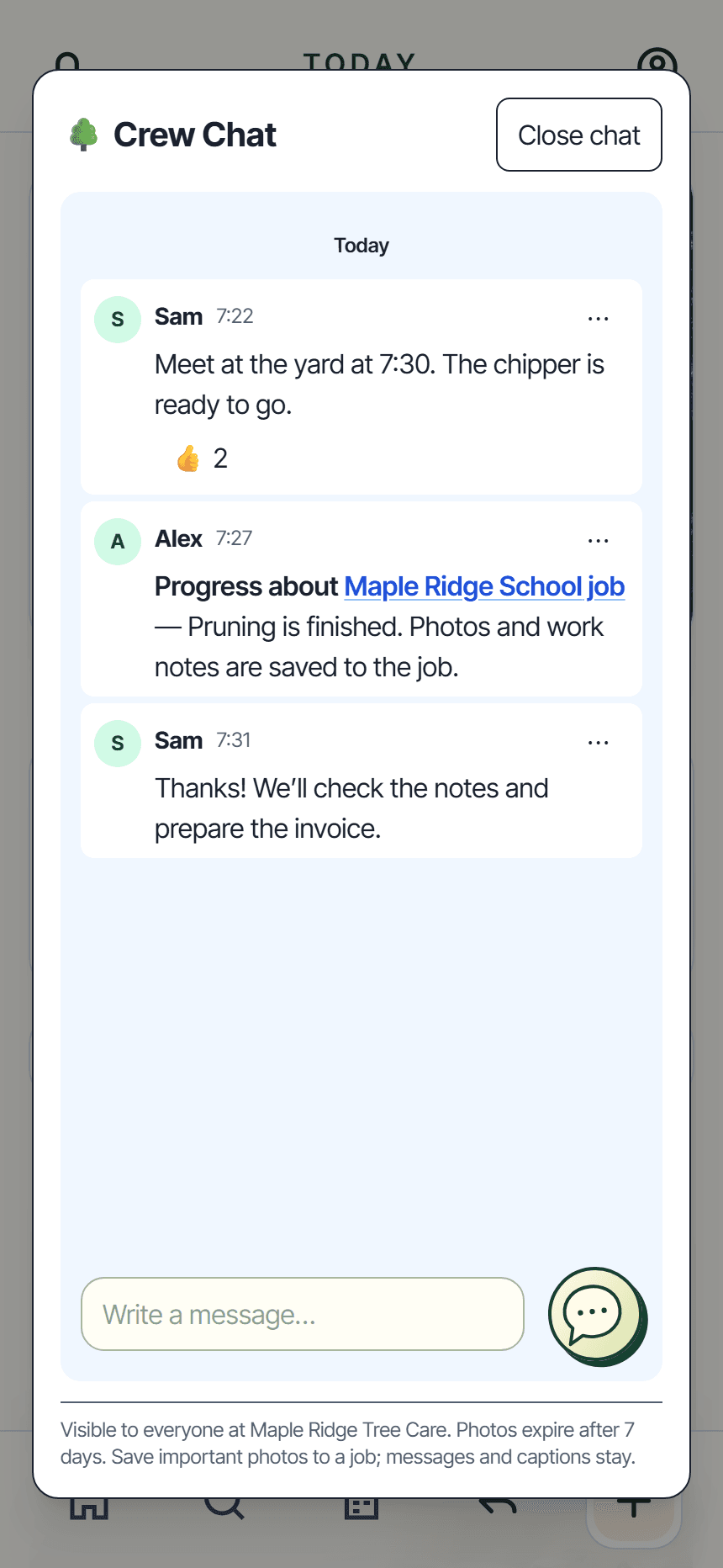
Crew Chat brings company-wide messages, quick photos, reactions, and tagged job links into the app. Teammates can open the linked work they have access to. Chat needs a connection, and chat photos expire after seven days; save important photos to the job.
Give each person the right tools
Invite employees and manage their access. Crew members can add notes, photos, and time to their assigned work and record their own completion. An admin manages overall job completion. Optional company safety guides give the crew a place to reference your procedures.
Explore the rest of your workday.
From enquiry to approved quote
Build the scope and price, send a clear quote, and keep customer responses with the work.